Storage & Editing
Capturing the shot is only half the job — protecting and finishing it is the rest. Reliable storage and a colour-accurate editing setup are the quiet infrastructure that professionals depend on.
What to look for in storage & editing
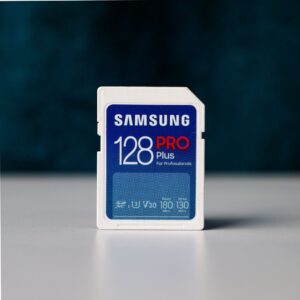
In the field, fast and trustworthy memory cards prevent dropped frames and corrupted files — always buy from reputable sellers, as counterfeits are common. Off the camera, build a backup workflow around the 3-2-1 rule: three copies, on two types of media, with one kept off-site. Portable SSDs are fast for offloading and editing on the move, while larger desktop drives and NAS handle long-term archiving.
For editing, a colour-accurate monitor is the single most valuable upgrade — a wide-gamut, factory-calibrated screen lets you finish files the way you actually saw them, which matters enormously for print and client delivery. Pair it with a machine that has enough RAM and a fast processor to handle high-resolution RAW files, and editing software that fits your workflow and budget.
Which setup suits you
• In the field — fast SD/CFexpress cards and a rugged portable SSD.
• Archiving — high-capacity desktop or NAS storage.
• Editing accuracy — a calibrated, wide-gamut monitor.
• On a budget — a one-time-purchase editor over a subscription.
Check out our latest guides on the best storage and editing gear:
• Best external SSDs for photographers
• Best memory cards & backup workflow
• Best photo editing software
Showing all 5 results