
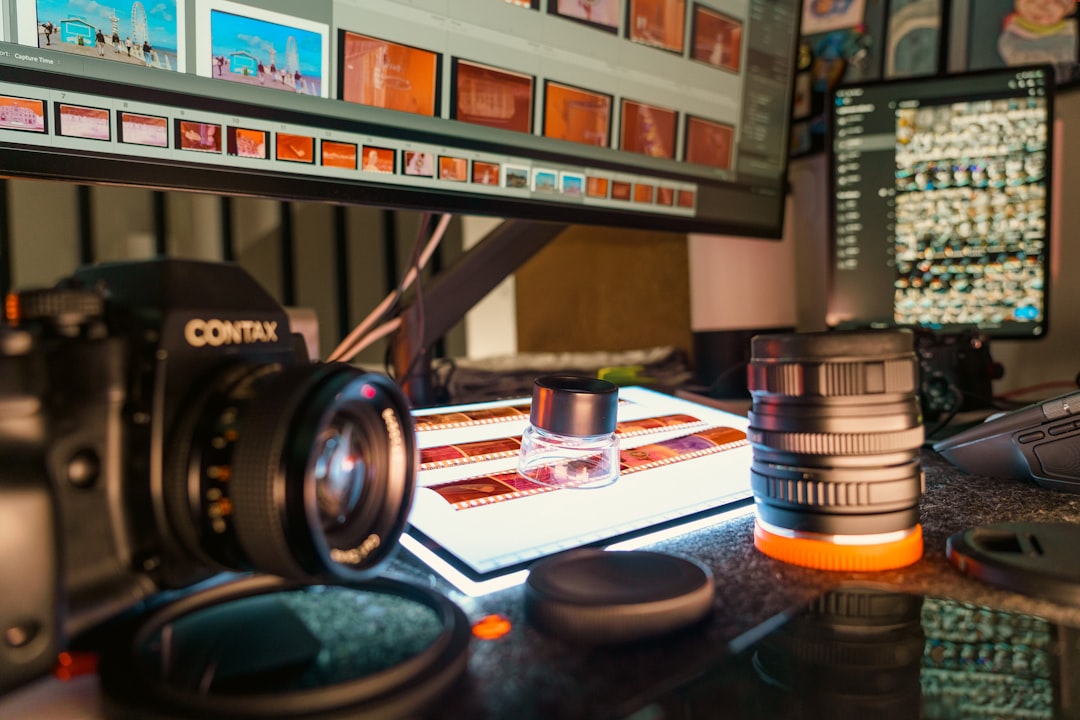
A monitor is the part of a photographer’s kit that decides what a client actually sees. A bad panel makes a carefully edited skin tone look jaundiced on delivery, crushes shadow detail that was supposed to be visible, and leaves the photographer second-guessing colour choices that were in fact correct. This roundup covers the best monitors for photo editing in 2026 — from the Eizo ColorEdge tier that sits on working retouchers’ desks to the BenQ SW and Asus ProArt options that professional photographers actually buy, and the Apple Studio Display position for Mac-centric workflows.
TL;DR
- For colour-critical commercial retouching: Eizo ColorEdge CG series.
- For working photographers at pro-level quality and value: BenQ SW series or Asus ProArt PA series.
- For Mac-centric workflows with less aggressive colour demands: Apple Studio Display or Pro Display XDR.
- A colorimeter is mandatory regardless of monitor choice — a USD 200 calibrator changes a USD 600 monitor more than any spec upgrade.
- Adobe RGB coverage, delta E under 2, and factory calibration reports matter more than HDR marketing numbers.
What actually matters in a photo-editing monitor
Monitor specifications are noisy. Five measures do most of the work in deciding whether a monitor is suitable for professional photo editing.
Colour gamut coverage. Adobe RGB 99 percent or better is the working baseline for commercial print work. P3 95 percent or better matters for web and mobile output. sRGB 100 percent is a minimum that even enthusiast monitors now meet.
Delta E. A measure of how accurately a colour on screen matches its specified value. Delta E under 2 is the professional threshold; delta E under 1 is commercial-retouching grade. Most budget monitors ship with delta E between 3 and 5, which is visible as colour cast in skin tones.
Uniformity. How consistent brightness and colour are across the panel. Measured in percentage variation. Under 5 percent is professional; under 3 percent is reference-grade. Consumer monitors are often 10 to 15 percent.
Hardware calibration. The ability to store a calibration profile inside the monitor’s internal lookup tables rather than in the operating system. Hardware calibration survives driver updates, switching computers, and colour profile corruption. Software calibration on a non-hardware-calibratable monitor is a compromise that working commercial retouchers avoid.
Bit depth. 10-bit panels (or 8-bit plus FRC) produce smoother gradients than true 8-bit panels. For landscape, fine-art, and any work with broad skies or gradient backgrounds, 10-bit matters. For most portrait work, 8-bit is acceptable.
The reference tier — for working commercial retouchers
These monitors are the ones on the desks of working commercial retouchers, fashion studios, and print shops that produce magazine and advertising output. Premium price matches premium performance.
Eizo ColorEdge CG2700X
The working reference monitor. 27-inch, 4K, 99 percent Adobe RGB, 98 percent DCI-P3, delta E under 2 out of the box, hardware calibration via Eizo’s ColorNavigator software, built-in calibration sensor. The ColorEdge CG line is the one monitor family where “pay more, get more” actually holds up to scrutiny. Street price around USD 3,000.
Eizo ColorEdge CS2740
The ColorEdge CS line is the working-pro tier below the CG. 27-inch, 4K, 99 percent Adobe RGB, hardware calibration with an external colorimeter (no built-in sensor), delta E under 2. Meaningful cost savings over the CG line while retaining most of the professional capabilities. Street price around USD 1,800.
Check price on AmazonNEC MultiSync PA series
NEC’s professional display line competes directly with Eizo at the CG and CS tiers. The PA271Q and PA311D are the working 4K options with factory calibration, hardware LUT support, and the SpectraView software that photographer-retouchers often prefer to Eizo’s ColorNavigator. Less ubiquitous than Eizo but genuinely competitive. Street prices USD 2,000 to USD 3,500.
The working-pro tier — for professional photographers
Where most working photographers actually buy. Professional-grade colour performance at meaningfully lower prices than the reference tier. The compromise is usually software calibration (no built-in sensor) and slightly lower uniformity performance.
BenQ SW272U / SW272Q
The BenQ SW line sits at the pragmatic sweet spot for working photographers. 27-inch, 4K (SW272U) or 2.5K (SW272Q), 99 percent Adobe RGB, 99 percent DCI-P3, factory calibration report in the box, hardware LUT calibration via BenQ’s Palette Master Element software. The SW series is the monitor line most often recommended to first-time professional photographers in 2026. Street prices USD 900 to USD 1,300.
Check price on AmazonBenQ SW321C
The 32-inch, 4K option. Same colour performance as the SW272U at a larger display size. Useful for retouchers who want to see full-resolution image detail alongside tool palettes without switching zoom levels. Street price around USD 1,800.
The BenQ SW321C is the default recommendation for a working photographer’s second or upgrade monitor.
Asus ProArt PA279CRV / PA32UCX
Asus’s ProArt line competes directly with BenQ SW at each tier. The PA279CRV is the working 27-inch 4K option; the PA32UCX is the 32-inch mini-LED with exceptional HDR performance for hybrid video work. Factory calibration, 99 percent Adobe RGB, USB-C with 90W power delivery, and Thunderbolt daisy-chaining on some models. Street prices USD 700 to USD 3,500 depending on tier.
Check price on AmazonDell UltraSharp UP3221Q / UP2720Q
Dell’s UltraSharp Premium line is the corporate-preferred option for photographers inside larger organisations. Factory-calibrated, built-in colorimeter on the UP3221Q, 4K resolution, 99 percent Adobe RGB. Meaningful corporate IT support and warranty terms matter for in-house commercial work. Street prices USD 1,500 to USD 4,000.
The Apple Studio Display position
Mac-centric workflows raise the question of whether Apple’s displays are enough for professional photo editing. Honest answer: sometimes.
Apple Studio Display. 27-inch, 5K resolution (higher than the 4K standard across most professional monitors), P3 colour space, 600-nit brightness, factory calibration. Lacks hardware calibration support. The colour performance is excellent for P3-centric web and mobile output and acceptable for most portrait and wedding editing. It is not ideal for Adobe RGB commercial retouching because Adobe RGB coverage is narrower than P3 and the hardware lookup table is not user-accessible.
Apple Pro Display XDR. 32-inch, 6K, 1,000-nit sustained brightness, 1,600-nit peak, reference modes for print-preview workflows. Professional-grade colour performance with the limitation that user calibration is limited to Apple’s first-party workflow. Street price USD 5,000 plus the stand. The Pro Display XDR is a credible commercial-retouching monitor for Mac-centric workflows; whether it justifies the premium over an Eizo CG2700X depends on the rest of the production environment.
The budget tier — where enthusiasts should start
For photographers starting out, advanced enthusiasts, or second monitors, two options deliver genuinely professional colour performance at sub-USD-500 prices. The BenQ SW240 and Asus ProArt PA278CV both cover 99 percent Adobe RGB, ship with factory calibration reports, and support hardware calibration. Compromises are panel size (24 to 27 inches), resolution (1080p to 2.5K), and less sophisticated electronics behind the panel. Street prices USD 300 to USD 500.
Check price on AmazonA comparison table across monitor tiers
| Tier | Primary pick | Alternative | 2026 street (USD) |
|---|---|---|---|
| Reference / commercial retouching | Eizo ColorEdge CG2700X | NEC MultiSync PA271Q | 2,000 – 3,500 |
| Working-pro photographer | BenQ SW272U | Asus ProArt PA279CRV | 700 – 1,300 |
| Large-format working-pro | BenQ SW321C | Asus ProArt PA32UCX | 1,800 – 3,500 |
| Apple-centric workflows | Apple Studio Display | Apple Pro Display XDR | 1,600 – 5,000 |
| Advanced enthusiast | BenQ SW240 | Asus ProArt PA278CV | 300 – 500 |
Calibration: the purchase most enthusiasts skip
A monitor without calibration is a guess. Every professional monitor — regardless of factory calibration quality — drifts over time as the backlight ages. Hardware calibration via a colorimeter restores accuracy in five minutes per month. The two tools working photographers use are the Calibrite Display Plus HL (the current generation of the X-Rite i1Display) and the Datacolor Spyder X2.
Check price on AmazonA colorimeter plus a professional monitor produces output that matches a print lab’s reference monitor. A top-tier monitor without a colorimeter drifts within weeks. For any paid client work, a colorimeter is not optional. Street prices for current-generation colorimeters sit between USD 200 and USD 300.
HDR, mini-LED, and OLED in 2026
Three panel technologies worth understanding when monitor shopping in 2026.
HDR. High Dynamic Range is primarily a video-production concern. For most still-photo editing workflows, HDR brings little benefit because the output (web, print, mobile) is still predominantly SDR. Exception: wildlife, landscape, and astrophotography work where HDR output matters for print reproduction. Do not pay an HDR premium unless the output pipeline actually uses it.
Mini-LED. Backlight technology that improves contrast and HDR performance without the burn-in risk of OLED. The Apple Pro Display XDR, Asus ProArt PA32UCX, and several BenQ SW options use mini-LED. Genuinely useful for hybrid video-plus-photo workflows; less essential for pure photo editing.
OLED. Exceptional contrast and colour response, but burn-in risk with static image editing tools is real. Some 2026 OLED monitors claim anti-burn-in mitigation, but long-term evidence from working retouchers remains limited. Use with caution for photo-editing-first workflows.
Screen size and resolution
27 inches at 4K is the working-pro sweet spot in 2026. Large enough to display full-resolution portrait and product files alongside tool palettes, dense enough that the pixel structure is invisible at normal viewing distance. 32-inch 4K is comfortable but pixel density is lower; 32-inch 6K and 8K solve this at significantly higher cost.
For dual-monitor setups, two 27-inch 4K panels are the most common working configuration. Matching panels is ideal but not essential — a second, less colour-critical monitor for email, tool palettes, and reference material is a defensible compromise.
Desk setup and viewing conditions
Monitor performance is inseparable from the environment it sits in. Three factors that matter more than most monitor spec upgrades.
Ambient light. Editing under bright or colour-cast ambient lighting causes perceptual shifts that no monitor compensates for. A dimmed, daylight-balanced room is the working standard. A monitor hood (built into Eizo CG and BenQ SW monitors) blocks flare from overhead lights. Wall colour in the editing room matters — neutral grey walls are ideal; coloured or brightly lit walls contaminate colour perception.
Viewing distance. Too close and your eyes fatigue; too far and you miss detail. The working standard is roughly an arm’s length from the panel. For 27-inch 4K, this places pixels below the perceivable threshold.
Viewing angle. IPS panels (used in all the monitors above) maintain colour and brightness across a wide viewing angle. VA and TN panels shift colours visibly when viewed off-axis. For photo editing, IPS is the working standard.
The monitors to skip
Three categories that should not enter a professional photographer’s consideration. Curved monitors (the curvature distorts straight lines in the image and complicates print-preview workflows). Gaming monitors marketed as “creator displays” (usually high refresh rate, low colour accuracy, poor uniformity). And ultrawide 21:9 aspect-ratio monitors (the aspect ratio does not match the print or web output shapes that photography produces).
Pairing your monitor with the rest of the kit
A calibrated monitor is most useful when the input files deserve it. That means modern camera bodies with 14-bit RAW output and glass that delivers the detail the sensor can resolve. Our best mirrorless cameras for photographers guide covers the body side; the best prime lenses for portrait photography piece covers the glass that feeds a portrait retouching workflow. For product photography specifically — where colour accuracy matters most — our product photographer hub covers the working norms that make monitor selection critical.
A note on multi-monitor setups
Two matched professional monitors for editing plus a third non-critical monitor for tools and reference is the working setup for many commercial retouchers. The challenge is ensuring both primary monitors calibrate to the same target. Hardware-calibratable monitors using the same colorimeter and the same calibration targets produce matched output; mixed brands or uncalibrated monitors often diverge visibly over time.
For a single-monitor working-pro setup, one 27-inch to 32-inch 4K display plus a calibrator is the sensible starting point. Adding a second matched panel can come later as workflow demands grow.
Closing
The best monitors for photo editing are the ones whose output matches the client’s print or web result. A calibrated BenQ SW272U or Asus ProArt PA279CRV covers working-pro needs for most 2026 photographers. An Eizo ColorEdge CG2700X is the working reference for commercial retouching. Below that, pair any Adobe-RGB-capable monitor with a current-generation colorimeter and you are in professional working territory.
Browse our gear recommendations index for the paired guides on cameras, lenses, and post-production tools that sit around the monitor in a working photographer’s desk setup. For editing-side context on how monitor-calibrated output feeds into style decisions, the editing styles compared piece covers the downstream aesthetic questions.
As an Amazon Associate we earn from qualifying purchases. Some links in this article are affiliate links.
As an Amazon Associate we earn from qualifying purchases. Some links in this article are affiliate links — they don't cost you anything extra.
🛒 Shop the gear: Browse all storage & editing gear in our shop →